
Power BI consulting is specialist help to plan, build and run Microsoft Power BI: connecting data sources, designing data models and DAX measures, building dashboards, and setting up workspace security and refresh. Hoist DigiSoft’s Power BI consultants take you from spreadsheets to governed, self-serve reporting.
Our team is Microsoft-certified in Power BI.

What does our Power BI consulting cover?
Power BI is easy to start and easy to get wrong. A report built straight on top of exported spreadsheets works for a month, then breaks when the data grows or a second team starts building their own version. We cover every stage, so the second year is easier than the first.
Power BI implementation
Tenant and workspace setup, gateway configuration for on-premises sources, scheduled refresh, deployment pipelines (development, test, production) and naming conventions your team can follow.
Dashboard and report development
Executive, finance, sales and operations dashboards with a clear audience and purpose. We design for the screen people actually use, including mobile layouts for leaders who check numbers on their phone.
Data modeling and DAX
A star schema model with clean relationships, a date table and well-named DAX measures. This is where most Power BI performance and accuracy problems start, and where we spend the most care.
Migration from Excel or Tableau
We rebuild spreadsheet reports or Tableau workbooks in Power BI, reconcile every number against the original, and retire the old version only when users sign off.
Microsoft Fabric readiness
Microsoft now sells Power BI as part of Microsoft Fabric, which adds data engineering, warehousing and lakehouse tools on shared capacity. We help you decide whether you need Fabric now, later or not at all, and plan the move if you do.
Governance and security
Row-level security, workspace roles, sensitivity labels, certified semantic models and a simple change process. See also data security and encryption.
Training and support
Training for report consumers, report builders and model owners, plus optional ongoing support for changes and new reports.
How do finance, sales and operations use Power BI?
A few examples of what we build. Each sits on the same governed model, so the numbers match across departments.
| Department | Typical dashboards | Typical sources |
|---|---|---|
| Finance | P&L vs budget, cash flow, AR aging, month-end close tracker | NetSuite, QuickBooks, Xero, Sage, Dynamics 365 |
| Sales | Pipeline by stage, win rate, quota attainment, customer growth | Salesforce, HubSpot, Dynamics 365 |
| Operations | Inventory cover, fulfillment time, on-time delivery, capacity | ERP, WMS, spreadsheets, IoT feeds |
| Leadership | One-page KPI view with drill-through to each department | All of the above via the data warehouse |
Power BI connects to most ERP and CRM systems either directly or through a warehouse. For more than two or three sources, we usually recommend a warehouse in between. See business intelligence consulting for how the layers fit together.
Microsoft Power BI consulting vs DIY: where do projects go wrong?
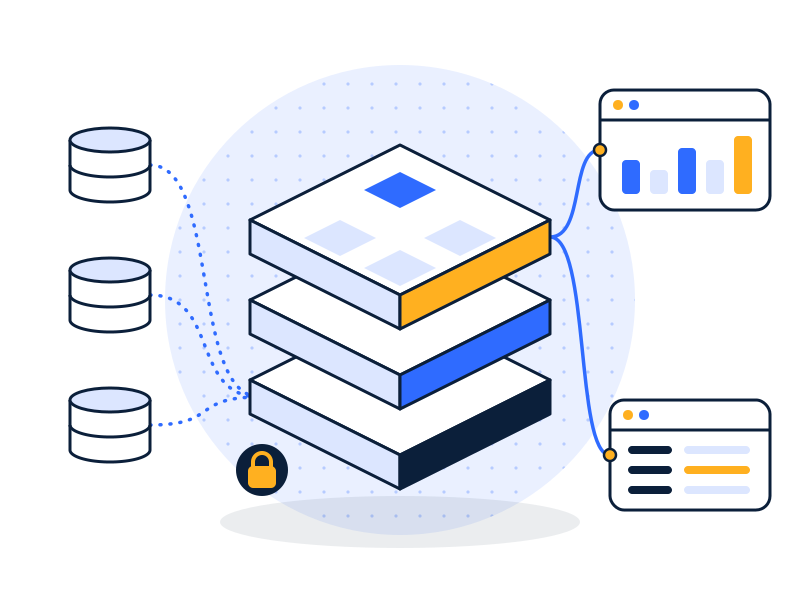
Plenty of teams build good Power BI reports themselves. These are the patterns that usually bring them to a consultant:
- One giant flat table. Everything imported into one wide table. Works at first, then slows to a crawl and makes DAX painful.
- Calculated columns everywhere. Logic that belongs in measures or upstream in the warehouse, which bloats the model.
- Each report has its own dataset. Ten reports, ten copies of “revenue”, ten slightly different answers.
- Personal workspaces as production. Critical reports owned by one person’s account, which breaks when they leave.
- No refresh monitoring. A refresh fails on Tuesday, and nobody notices until the board meeting.
- Security as an afterthought. Whole datasets shared with the company because row-level security was never set up.
We fix these by moving logic to the right place: shared, certified semantic models; measures over calculated columns; transformations upstream in the warehouse or Power Query; and workspaces owned by groups, not people.
What are the Power BI licensing basics?
Licensing decides who can share and view reports, so it affects your design. In short, per Microsoft’s documentation:
- Free: users can build reports for their own use, but can’t share or collaborate unless the content sits on a capacity.
- Power BI Pro: users can publish, share and consume content with other Pro users.
- Premium Per User (PPU): Pro features plus most Premium features, but content in a PPU workspace can only be shared with other PPU users.
- Capacity (Fabric F SKUs or Power BI Premium P SKUs): content in a capacity workspace can be shared with free users, at Fabric F64 or above.
Microsoft changes prices and SKUs regularly, so check Microsoft’s Power BI pricing page for current costs. In the audit, we look at how many people build reports versus view them and recommend the cheapest license mix that works.
How does our Power BI consulting process work?

- Audit
- Architect
- Build & Secure
- Run & Improve
- Audit. We review your current reports, datasets, workspaces, gateways and licenses. You get a list of issues ranked by impact.
- Architect. KPI definitions, data model design, workspace structure and security roles, agreed with your metric owners.
- Build & Secure. Model first, then reports, with row-level security and group-owned workspaces from the start. You see working dashboards every week, not a big reveal at the end. We check every key number against your source systems before go-live.
- Run & Improve. Deployment pipelines, training for each user group, documentation in plain English, refresh monitoring, then optional ongoing support.
A focused first Power BI scope usually runs four to eight weeks.
What Power BI certifications does the team hold?
Our team is Microsoft-certified in Power BI.
Our teams in the USA and India work US business hours, with overlap with Australian and Canadian business days, under NDA, with access through your own Microsoft tenant.
What does a Power BI project look like?
Illustrative example. Not a client project.
A 120-person company has 40 Power BI reports, most built on their own exported spreadsheets. Leadership stopped trusting them after two board packs showed different revenue.
- Audit: 40 reports, 31 separate datasets, 6 definitions of revenue.
- Design: one certified finance model and one sales model, fed from the ERP and CRM through a small warehouse.
- Build: 12 reports rebuilt on the shared models; 28 retired with owner sign-off.
- Govern: group-owned workspaces, row-level security by region, refresh failure alerts.
The aim: fewer reports, one revenue number, and refresh failures caught the same day.
Related: executive KPI dashboards · automated reporting · how to choose a Power BI consultant · Industries: retail & ecommerce, manufacturing & logistics, healthcare
FAQs
What does a Power BI consultant do?
A Power BI consultant plans, builds and maintains Microsoft Power BI reporting. The work covers connecting data sources, designing the data model and DAX measures, building dashboards, configuring refresh and gateways, setting up row-level security and workspaces, and training users. A good consultant fixes the model underneath, not just the visuals on top.
How long does a Power BI rollout take?
A focused Power BI rollout, such as one department’s dashboards on a shared data model, usually takes four to eight weeks. A company-wide rollout with several models, governance and training runs in phases over a few months. Timelines depend mostly on source data quality and how quickly metric definitions are agreed.
Power BI or Tableau: which should we use?
Power BI and Tableau are both leading BI tools. Power BI usually fits companies already on Microsoft 365 or Azure and wanting broad self-serve reporting. Tableau suits analyst teams that need deep visual exploration. If you already own one, improving it is usually cheaper than switching. We work with both.
Do we need Microsoft Fabric?
Microsoft Fabric is Microsoft’s data platform that bundles Power BI with data engineering, warehousing and lakehouse tools on shared capacity. You don’t need it to use Power BI. It makes sense if you want your warehouse and pipelines inside Microsoft, or need capacity features. We assess this during the audit.
Can Power BI connect to our ERP and CRM?
Yes, in most cases. Power BI has connectors for systems like Dynamics 365, Salesforce, NetSuite, SQL Server and many others, plus generic database and API options. For more than two or three sources, or for history and speed, we recommend loading them into a data warehouse first and connecting Power BI to that.
How is Power BI data secured?
Power BI data is secured through Microsoft Entra ID sign-in, workspace roles, row-level security that limits which rows each user sees, sensitivity labels and encryption managed by Microsoft. We configure these, use group-based access instead of individual sharing, and restrict who can publish, export or share outside your organization.
Get your Power BI back under control.
In a free 30-minute data audit we’ll look at your reports, models and licenses and tell you what we’d fix first.